Non-prod resources running 24/7 is one of the easiest ways to overspend on Azure without noticing. The fix is usually the same shape everywhere: an Automation Account with a handful of PowerShell runbooks on a schedule, stopping things outside work hours and starting them again in the morning. This one covers four resource types — VMs, AKS clusters, PostgreSQL Flexible Servers, and SQL Managed Instances — driven entirely by tags, in Terraform.
The shape of it
One Automation Account, one system-assigned managed identity, four RBAC role assignments, eight runbooks (start + stop for each resource type), two schedules:
resource "azurerm_automation_account" "this" {
  name                = var.automation_account_name
  location            = local.location
  resource_group_name = local.resource_group_name
  sku_name            = var.automation_sku_name

  identity {
    type = "SystemAssigned"
  }

  tags = var.tags
}
The managed identity is what makes this work without a stored credential anywhere — every
runbook starts with Connect-AzAccount -Identity, authenticating as the Automation Account
itself rather than a service principal secret that needs rotating.
Tag-driven, not resource-driven
Nothing here names a specific VM or cluster. Every runbook enumerates all resources of its type across the subscription, then decides per-resource whether to act, based entirely on tags:
Project— one ofProjectA,ProjectB,ProjectC; anything else is skippedAutoStartStop = "true"— opt-in, not opt-outEnvironment—DEVorSTG, picks which default hour appliesWorkDays(optional) — restricts action to specific days, e.g.Mon-FriStartHour/StopHour(optional) — overrides the environment’s default for that one resource
That last one has a small parsing detail worth knowing before it surprises you:
function Get-ValidHour {
    param ($Tags, $TagName, $Default)

    if ($Tags.ContainsKey($TagName) -and $Tags[$TagName] -match '^([01]?[0-9]|2[0-3])(:[0-5][0-9])?$') {
        $hour = [int]$Matches[1]
        if ($hour -ge 0 -and $hour -le 23) { return $hour }
    }
    return $Default
}
StopHour = "21:00" and StopHour = "21" both parse to hour 21 — minutes are matched but
ignored, only the hour ever gets used. Anything that doesn’t match either shape falls back to
the environment default silently, no error, no log line calling it out. Worth remembering if a
resource ever seems to be ignoring its own override tag — check the tag’s actual value first.
State check before action, not just a scheduled blast
Every script reads the resource’s real current state from Azure before doing anything — not a tag, not an assumption, the actual API response:
function Get-RealPowerState {
    param ($ResourceGroup, $VMName)

    $vmStatus = Get-AzVM -ResourceGroupName $ResourceGroup -Name $VMName -Status

    return ($vmStatus.Statuses |
        Where-Object { $_.Code -like "PowerState/*" }).DisplayStatus
}
Then only calls Stop-AzVM if it isn’t already stopped. That makes the runbook idempotent —
running it five times in a row with nothing changed does nothing five times, not “stop a
stopped VM and get a benign-but-noisy error.” Combined with schedule_frequency = "Hour"
(explained below), that idempotency is what makes hourly runs safe instead of wasteful.
The full decision path
All of the checks above, in the order they actually run for every resource, every hour:

Five gates, not one — Project, AutoStartStop, WorkDays, the hour threshold, then the real
state check, in that exact order. Every skip path logs why, specifically, rather than just
silently doing nothing — which is the only reason the test runs further down in this post are
readable at all instead of just “nothing happened, good luck debugging that.”
Two things that don’t show up until you actually deploy this
1. The runbook type doesn’t have a “7.2” option
The source walkthrough this was built from explicitly selects Runtime version: 7.2 when
creating each runbook in the portal. Terraform’s azurerm_automation_runbook resource doesn’t
have anywhere to put that — runbook_type only accepts PowerShell, Python3, and a handful
of others, no PowerShell72 value exists. The actual setting lives at
properties.runtimeEnvironment on the underlying ARM resource, which azurerm doesn’t expose.
Fixed with a follow-up azapi_update_resource, patching the one property the typed provider
can’t reach:
resource "azapi_update_resource" "runbook_runtime" {
  for_each = var.set_powershell_runtime_72 ? local.runbooks : {}

  type        = "Microsoft.Automation/automationAccounts/runbooks@2023-11-01"
  resource_id = azurerm_automation_runbook.this[each.key].id

  body = {
    properties = {
      runtimeEnvironment = "PowerShell-7.2"
    }
  }
}
This is a pattern worth keeping in mind generally: when a typed provider (azurerm) doesn’t
expose a specific property yet, azapi can usually still reach it directly against the ARM API
— a narrow, deliberate escape hatch rather than a sign something’s wrong with the main resource.
2. Two different timezone formats, and a lowercase-only parameter name
azurerm_automation_schedule requires an IANA timezone name (Asia/Jakarta). The
PowerShell scripts, running inside the runbook itself, use FindSystemTimeZoneById with a
Windows timezone ID (SE Asia Standard Time). Same zone, two completely different naming
systems, and nothing will tell you they’re mismatched until a schedule silently fires at the
wrong hour:
variable "schedule_timezone" {
  description = "IANA tz database name (azurerm_automation_schedule requires IANA, e.g. 'Asia/Jakarta' — NOT Windows IDs like 'SE Asia Standard Time')."
  type        = string
  default     = "Asia/Jakarta"
}
And separately, the job schedule’s parameter name has to be all-lowercase:
resource "azurerm_automation_job_schedule" "this" {
  for_each = local.runbooks
  # ...
  parameters = {
    subscriptionid = var.subscription_id   # not "SubscriptionId" - see below
  }
}
The runbook’s own PowerShell parameter is declared as [string]$SubscriptionId — capitalized,
completely normal PowerShell style. But azurerm_automation_job_schedule’s parameter map has to
use the lowercase form specifically, because of how Azure Automation’s API compares parameter
names when linking a schedule to a runbook. Azure Automation matches case-insensitively once the
job actually runs, so the binding works fine at execution time — it’s specifically the
Terraform resource’s own parameter map that’s picky. An easy one to lose an hour to, since the
error (if there even is one) doesn’t point at “wrong case.”
Templating the subscription ID instead of hardcoding it
The original scripts each had -SubscriptionId default to a literal, hardcoded GUID. Rather
than hand-editing eight .ps1 files every time this gets deployed somewhere new, they’re stored
as .tftpl templates and rendered through templatefile():
content = templatefile("${path.module}/runbooks/${each.value.file}", {
  subscription_id = var.subscription_id
})
The job schedule also passes subscription_id explicitly as a runbook parameter, which
overrides the template’s default for scheduled runs — so templating the default mainly matters
for ad-hoc runs triggered manually from the portal, which don’t go through the job schedule and
only ever see the script’s own built-in default.
Why hourly, not daily
The one schedule this was modeled from runs once a day. But every runbook re-evaluates each
resource’s StartHour/StopHour/WorkDays tags on every run — that logic only does anything
useful if the runbook actually runs more than once. A once-daily trigger and a per-resource hour
check don’t compose well together: a resource tagged StopHour = "21" on a schedule that only
fires at 07:00 would never actually get evaluated anywhere near 21:00.
variable "schedule_frequency" {
  default = "Hour"  # not "Day" - see the note above
}
Running hourly, combined with the idempotent state-check-before-action pattern earlier, means each resource gets stopped within an hour of crossing its own threshold, regardless of what that threshold is set to — without needing a separate schedule per resource.
Testing it: the opt-in filter in practice
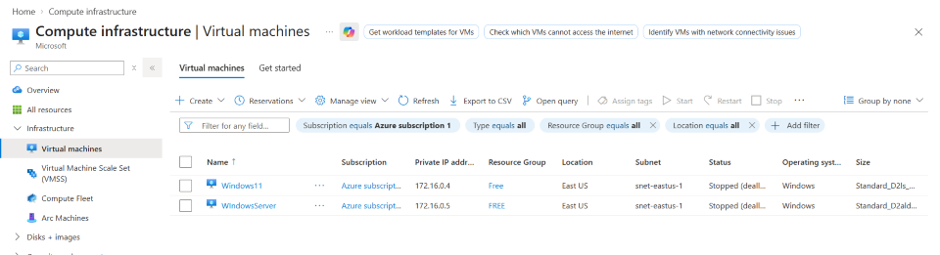
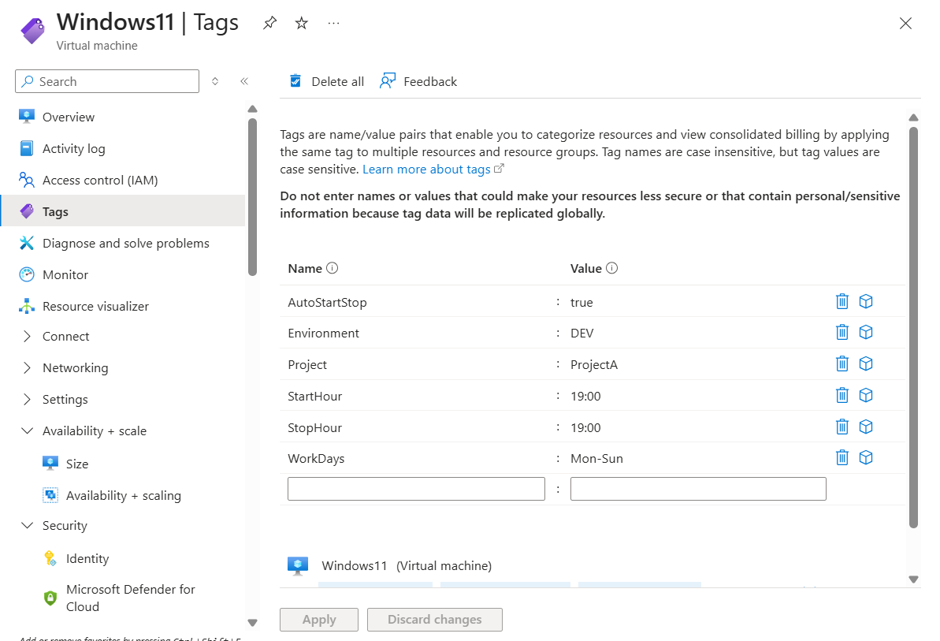
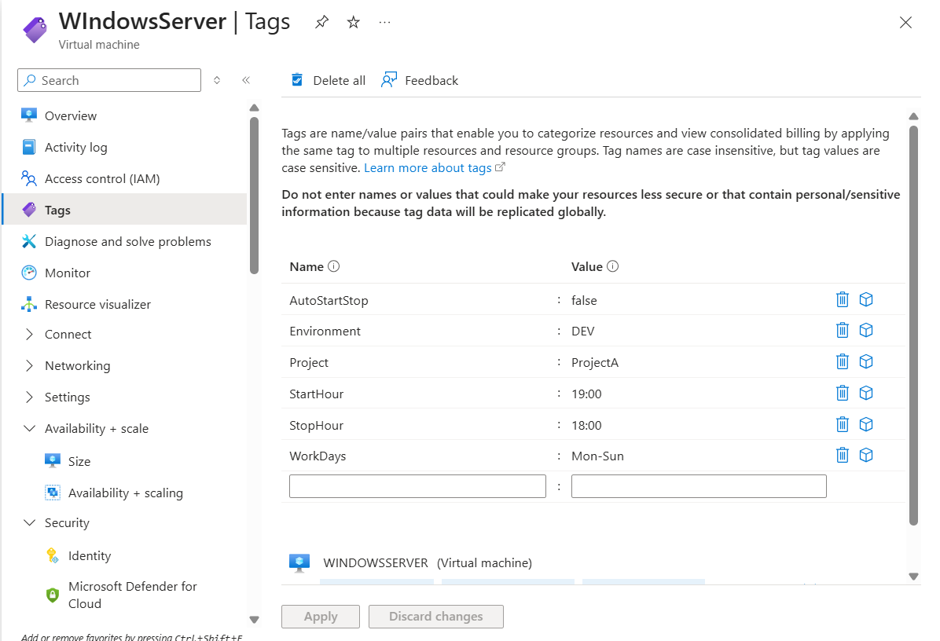
Two VMs, same subscription, same StartHour, same WorkDays — one tagged in, one tagged out:
Windows11 — opted in:
AutoStartStop = true
Environment   = DEV
Project       = ProjectA
StartHour     = 19:00
StopHour      = 19:00
WorkDays      = Mon-Sun
WindowsServer — same StartHour, same WorkDays, but opted out:
AutoStartStop = false
Environment   = DEV
Project       = ProjectA
StartHour     = 19:00
StopHour      = 18:00
WorkDays      = Mon-Sun
Running RB-VM-AutoStart manually at 19:26 local time — past both VMs’ StartHour — only one
of them actually starts:
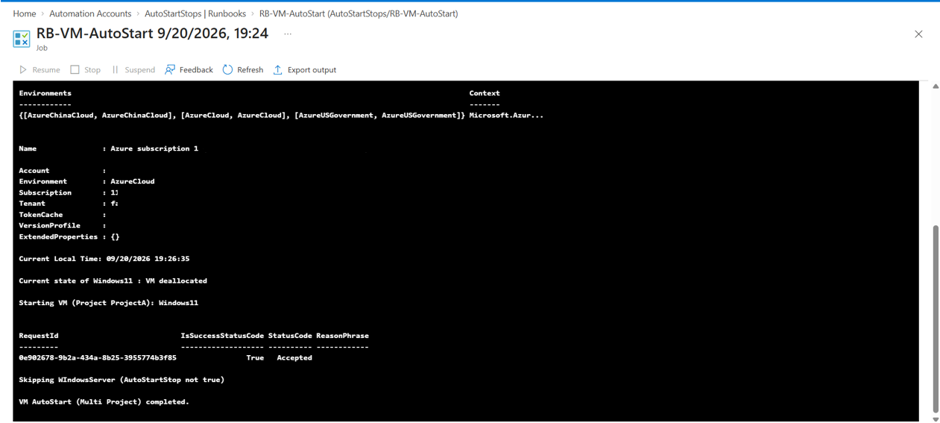
The log makes the filter order visible in practice, not just in the script: Windows11 passes
every check and gets a real Start-AzVM call (IsSuccessStatusCode: True), while
WindowsServer gets skipped with the exact reason printed — AutoStartStop not true. Same
StartHour, same WorkDays, same subscription; the single boolean tag is what decided it,
exactly as the filter order in the script says it should.
A second filter, once the first one passes
Flipping WindowsServer to AutoStartStop = true doesn’t mean it starts immediately — it just
means the boolean gate is now open, and the next check, the hour comparison, gets a chance to
run:
AutoStartStop = true
Environment   = DEV
Project       = ProjectA
StartHour     = 20:00
StopHour      = 18:00
WorkDays      = Mon-Sun
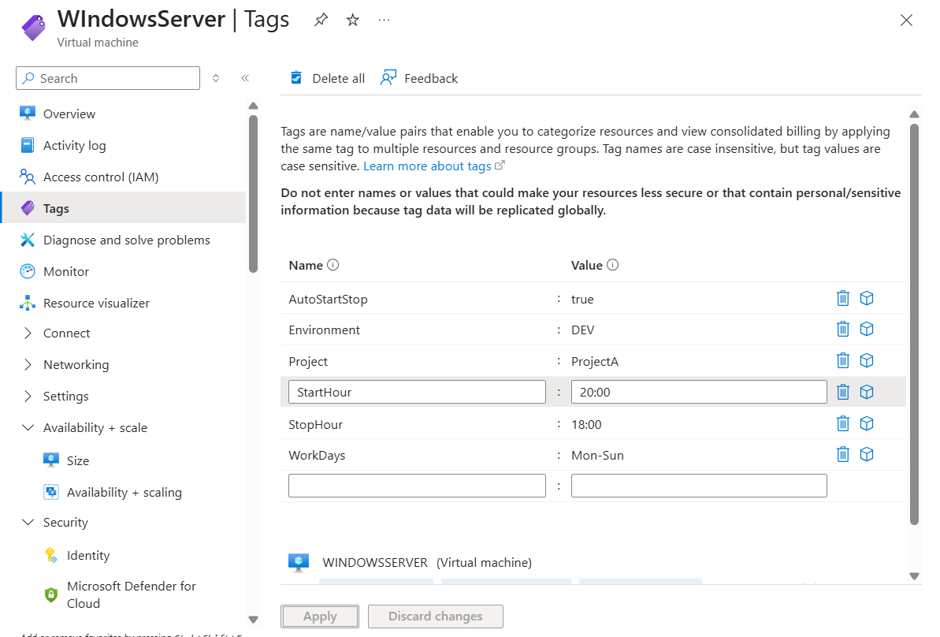
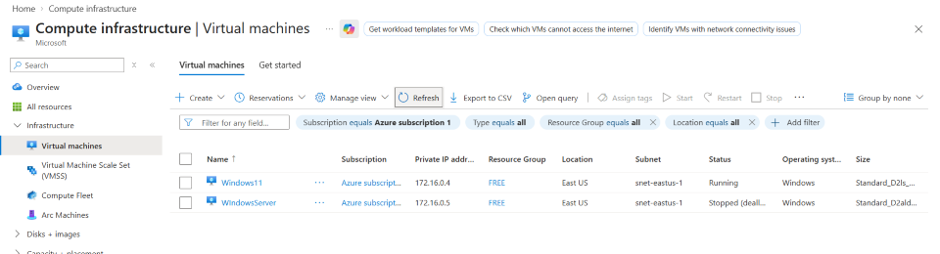
Windows11 is left running from the earlier test; WindowsServer stays stopped, this time by
design — StartHour is 20:00, and the runbook runs at 19:31:
Current state of Windows11 : VM running
VM already running: Windows11

Not time yet to start (Current: 19, StartHour: 20) - WIndowsServer
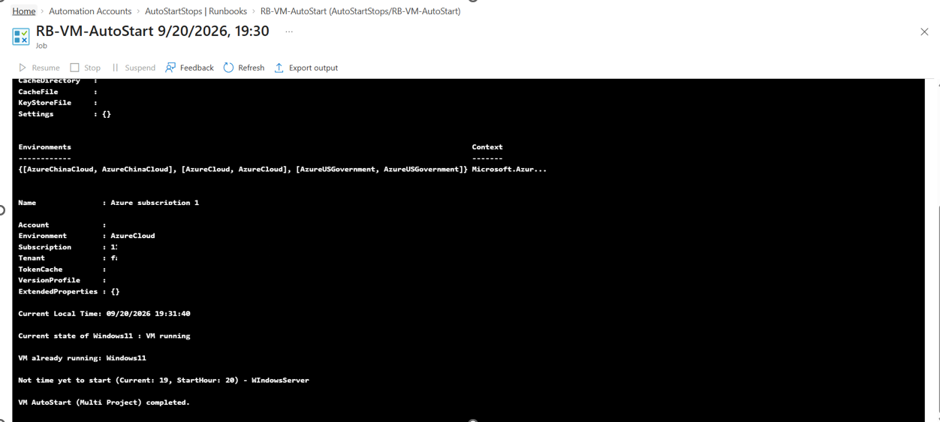
Two different skip reasons, two different checks: Windows11 gets skipped because the
idempotency check from earlier in this post finds it already in the desired state — no wasted
Start-AzVM call. WindowsServer gets skipped because it hasn’t reached its own StartHour
yet, even though AutoStartStop is now true. Same runbook, same run, two completely
different reasons for doing nothing — both correct.
Auto-stop follows the identical two-check shape in reverse (AutoStartStop gate, then
StopHour comparison), and the AKS, PostgreSQL, and SQL MI runbooks share the same filter
structure against their own resource types — not worth re-testing the same logic four more
times with a different Azure resource in the log line.
Bringing your own tags
This module doesn’t tag anything — it only reads tags that are assumed to already exist. Deploying it against a subscription with no tagged resources means eight runbooks that run successfully, log “skipping” for everything, and do nothing. That’s expected, not a bug — the minimum to see it actually act on something:
Project         = ProjectA
AutoStartStop   = true
Environment     = DEV
WorkDays, StartHour, and StopHour stay optional on top of that.