Continuing from terraform lab 1, where I stood up a single nginx container. This time: changing that container’s config, seeing how Terraform reacts differently depending on what changed, and adding a second container next to it.
Update configuration
Two changes to main.tf, not just one. First, the existing docker_container.nginx resource
gets a hostname added and its external port moved from 8000 to 8080. Second, an entirely
new resource — docker_container.nginx2 — goes in right alongside it, reusing the same image
but on port 8000, the port the first container just vacated:
resource "docker_container" "nginx" {
  image    = docker_image.nginx.image_id
  name     = "tutorial"
  hostname = "learn-terraform-docker"
  ports {
    internal = 80
    external = 8080
  }
}

resource "docker_container" "nginx2" {
  image    = docker_image.nginx.image_id
  name     = "tutorial2"
  hostname = "learn-terraform-docker2"
  ports {
    internal = 80
    external = 8000
  }
}
Review & apply changes
Check the plan
terraform plan
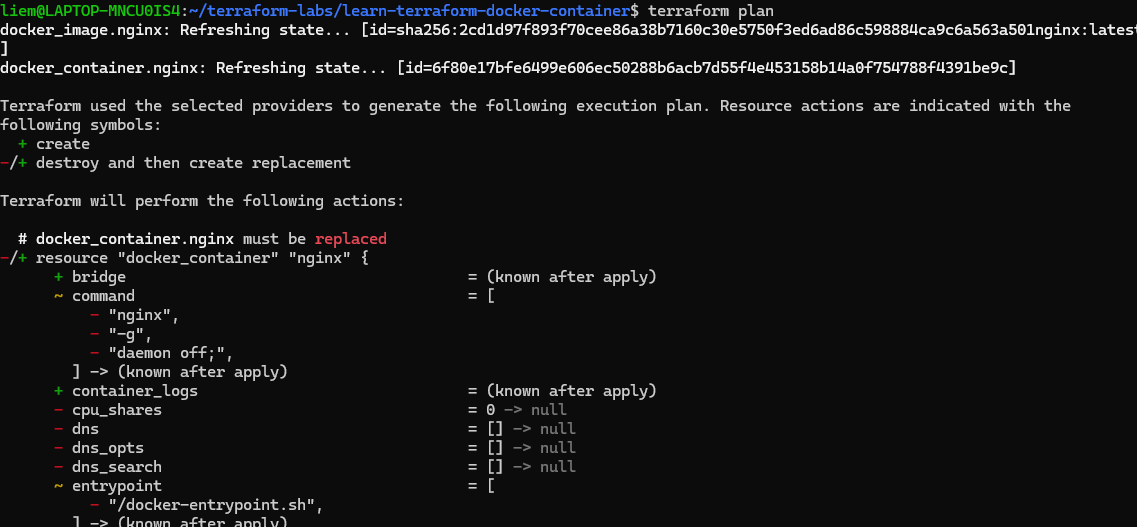
The interesting part is the -/+ next to docker_container.nginx — replaced, not updated
in place. Changing ports.external alone would’ve been an in-place update, but hostname is
one of the attributes Docker only sets at container creation, so Terraform has no way to apply
it to the running container — it has to destroy the old one and create a new one with the new
hostname baked in. docker_container.nginx2 shows up as a plain +, a normal create, since
nothing about it exists yet. Net result: 2 to add, 0 to change, 1 to destroy.
Apply
terraform apply
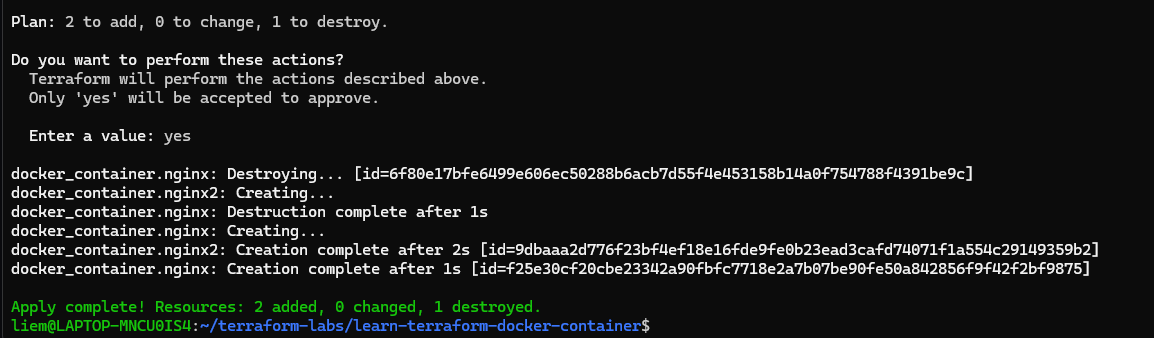
Terraform destroys the old nginx container first, then creates both the replacement nginx
and the new nginx2 — matching the plan exactly: 2 added, 1 destroyed.
Verify the changes
terraform state list now shows three managed resources instead of two:
terraform state list

Filtering terraform show down to just the IDs and IP addresses confirms both containers got
their own address on the Docker bridge network:
terraform show | grep -E "id|ip_address"
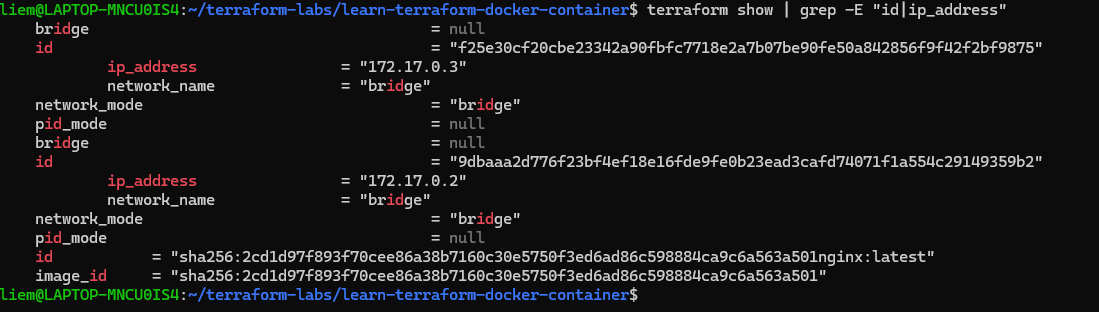
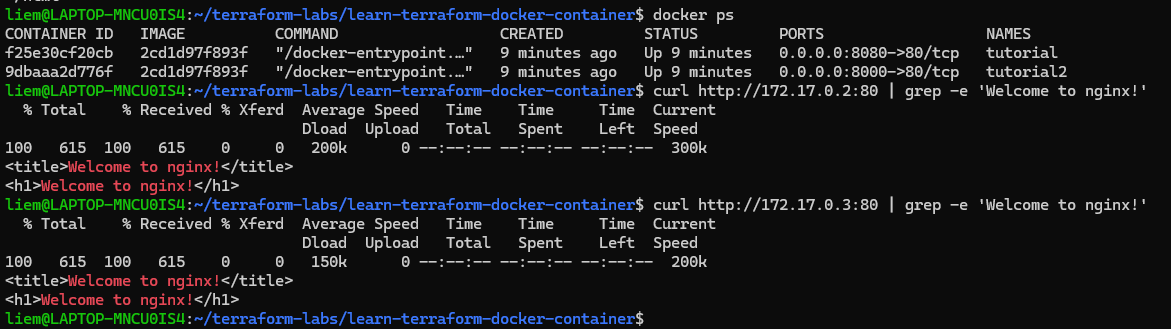
And outside Terraform, docker ps plus a couple of curl checks confirm both containers are
actually up and independently reachable — tutorial on :8080, tutorial2 on :8000, both
serving the default nginx welcome page:
docker ps
curl http://172.17.0.2:80 | grep -e 'Welcome to nginx!'
curl http://172.17.0.3:80 | grep -e 'Welcome to nginx!'
The distinction that mattered most in this lab: not every config change is equal to Terraform.
A value like ports.external can be updated in place; an attribute like hostname forces a
full replace. Worth checking the plan output for that -/+ marker specifically before
approving anything — an unexpected replace on a resource you assumed would just update quietly
is exactly the kind of thing you want to catch before typing yes, not after.
Next in this series: tearing this down cleanly with terraform destroy.