Picking back up after terraform lab 3 — config’s back to the two-container setup from lab 2, but now everything’s been torn down, so this starts from a clean slate. Everything so far has used hard-coded values directly in the resource blocks. This lab replaces one of them — the container name — with an actual variable.
Prerequisite
Same main.tf as the end of lab 2 — two containers sharing one nginx image, one on 8080,
one on 8000:
terraform {
  required_providers {
    docker = {
      source  = "kreuzwerker/docker"
      version = "~> 3.0.1"
    }
  }
}

provider "docker" {}

resource "docker_image" "nginx" {
  name         = "nginx:latest"
  keep_locally = false
}

resource "docker_container" "nginx" {
  image    = docker_image.nginx.image_id
  name     = "tutorial"
  hostname = "learn-terraform-docker"
  ports {
    internal = 80
    external = 8080
  }
}

resource "docker_container" "nginx2" {
  image    = docker_image.nginx.image_id
  name     = "tutorial2"
  hostname = "learn-terraform-docker2"
  ports {
    internal = 80
    external = 8000
  }
}
Set the container name with a variable
A new file, variables.tf, holds the variable declarations — kept separate from main.tf by
convention, not by any technical requirement:
variable "container_name" {
  description = "Value of the name for the Docker container"
  type        = string
  default     = "App-Server"
}

variable "container_name2" {
  description = "Value of the name for the Docker container"
  type        = string
  default     = "App-Server2"
}
tree confirms the new file sitting alongside the existing config and state:
tree

Then main.tf swaps the hard-coded name values for a reference to each variable:
resource "docker_container" "nginx" {
  image = docker_image.nginx.image_id
- name  = "tutorial"
+ name  = var.container_name
  hostname = "learn-terraform-docker"
  ports {
    internal = 80
    external = 8080
  }
}

resource "docker_container" "nginx2" {
  image = docker_image.nginx.image_id
- name  = "tutorial2"
+ name  = var.container_name2
  hostname = "learn-terraform-docker2"
  ports {
    internal = 80
    external = 8000
  }
}
Left as-is, var.container_name and var.container_name2 resolve to their declared
defaults — App-Server and App-Server2 — since nothing’s overriding them yet.
Apply your configuration
terraform apply
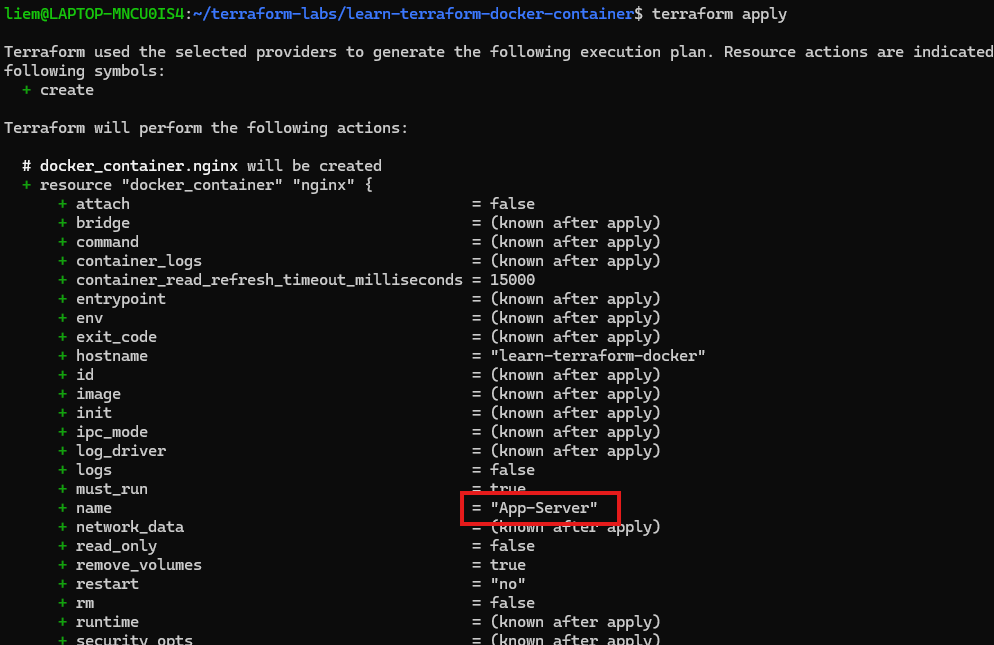
Since everything was destroyed at the end of lab 3, this plan creates all three resources from
scratch — not an update, a fresh + create across the board:
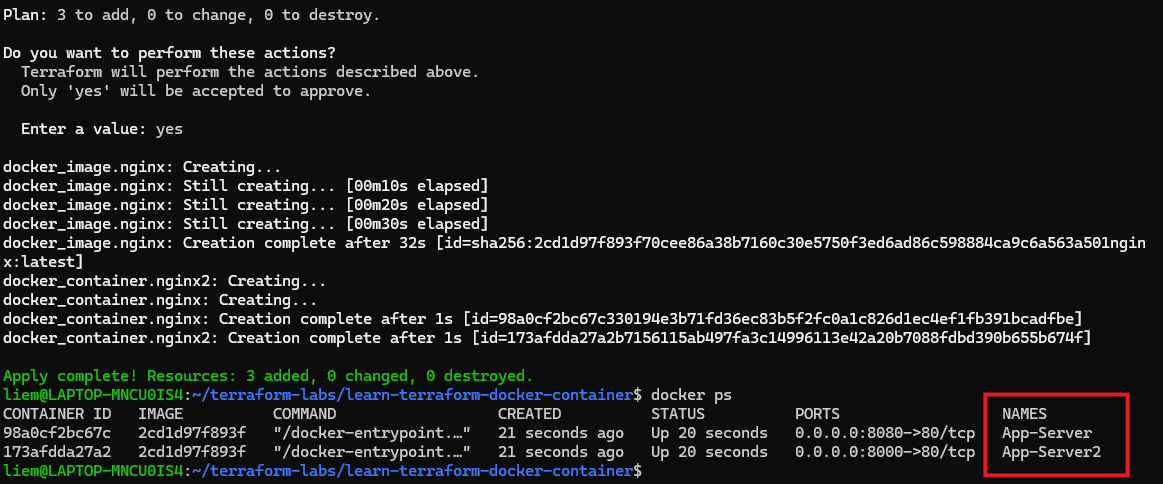
docker ps confirms both containers came up under the variable’s default names — no -var flag
needed to get App-Server / App-Server2, since that’s exactly what the defaults in
variables.tf say.
Override the default at the command line
Applying again with -var overrides the defaults for this run only — nothing in variables.tf
itself changes:
terraform apply -var "container_name=Web-Server" -var "container_name2=Web-Server2"
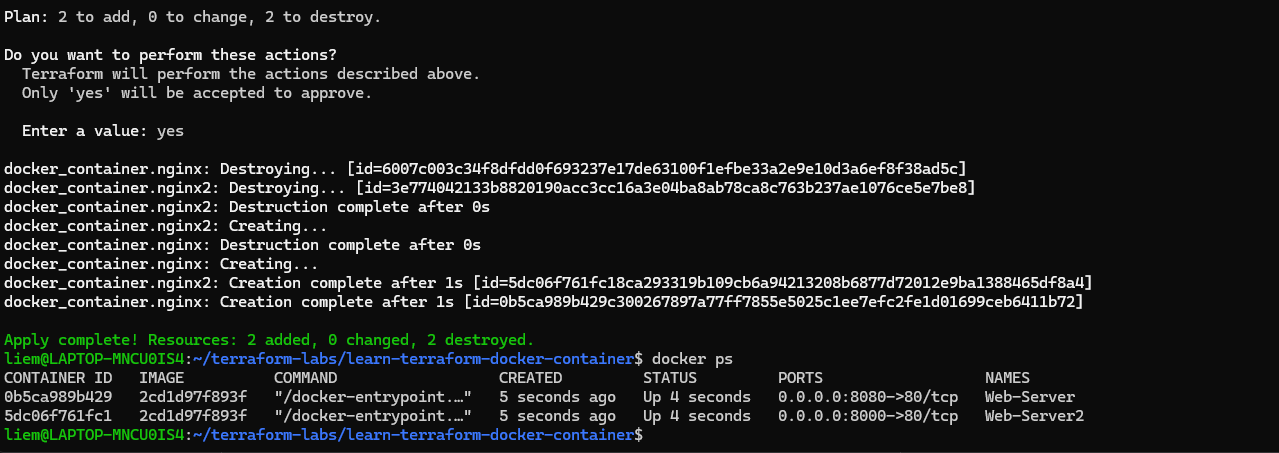
Same pattern as the hostname change back in lab 2:
name is another attribute Docker only sets at container creation, so changing it doesn’t
update the running container — Terraform destroys both and recreates them under the new names.
2 to add, 2 to destroy, not 2 to change. docker ps afterward confirms it: same container
IDs are gone, replaced by new ones answering to Web-Server and Web-Server2.
Worth keeping in mind as configs grow: a variable makes a value easy to change, but it doesn’t
change how Terraform has to apply that change — that’s still entirely up to the resource
attribute underneath it. -var is convenient for one-off overrides like this; for anything used
repeatedly, a terraform.tfvars file avoids retyping the flags on every apply.
Next in this series: querying data with outputs.